Monitor everything, ask anything & act instantly. No more switching tabs.
Download for Mac Google Calendar
 Slack
Slack GitHub
 Notion
 Granola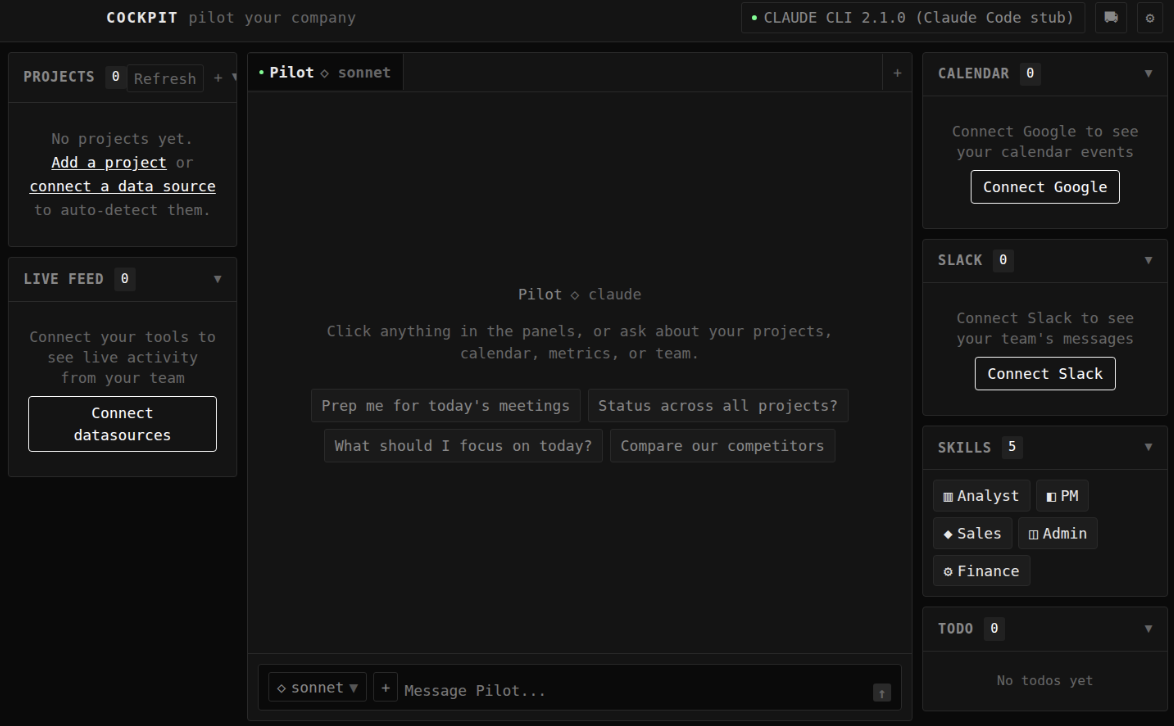
Your calendar, Slack, Linear, GitHub, and Notion collapsed into one live feed. No more tab-switching to stay on top of things.
"What did the team ship this week?" "Am I double-booked tomorrow?" Ask in plain English. Cockpit searches every tool before answering.
Build reusable automations: weekly reports, investor updates, team standups. Or let Cockpit suggest them based on how you work.
One shortcut to search across every tool at once. Find that Slack thread, Linear issue, or Notion doc in seconds.
Sign in with Google, Slack, Linear, GitHub, or Notion. Cockpit uses OAuth and never sees your passwords.
Calendar events, Slack messages, PRs, issues, and docs stream into a single timeline. Sorted by relevance, updated live.
Chat with an AI that searches across all your connected tools before responding. It cites sources so you can verify.
Turn recurring tasks into one-click skills: weekly reports, investor updates, standup summaries. Cockpit learns what you need.
Cockpit runs locally. OAuth tokens are stored in ~/.cockpit with 0600 permissions. No telemetry by default. Token exchange goes through a secure proxy.
